
Demo video
Before you start
- Who can install: only monday.com account admins can install apps from the marketplace.
- Who can set up a widget: account admins, or people who own every source board. Others see the numbers read-only.
- The app only reads your boards. It never changes them.
Install and add a widget
- In the monday.com marketplace, search for Dashboard Formulas & Pivot and click Install.
- On a dashboard, click Add widget → Apps → Dashboard Formulas & Pivot. On a board, the same app is available as a board view: + Add view → Apps.
- The first time, click Connect monday and approve access (read only).
- Click Set up.
Create with AI (optional)
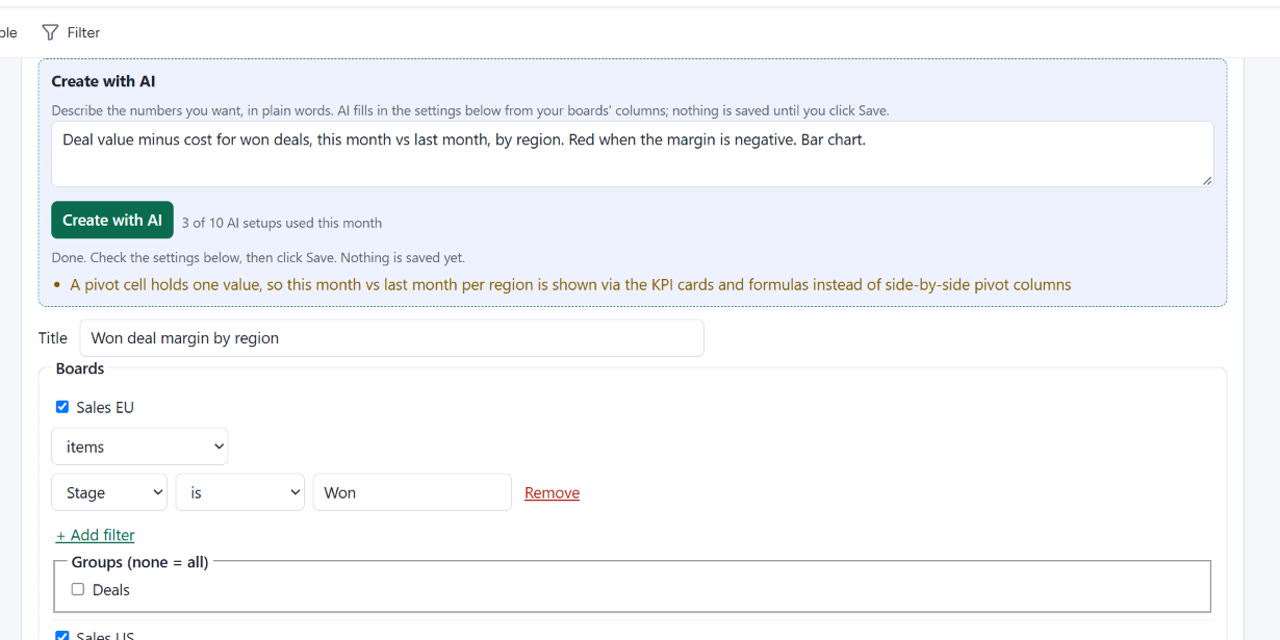
- In Create with AI, describe the numbers you want, for example “Deal value minus cost for won deals, this month vs last month, by region, red when negative, bar chart”.
- Click Create with AI. The settings below are filled in from your boards’ real columns, with notes on anything it could not use.
- Check them and click Save. Nothing is saved before.
What the AI sees: your description and the boards’ column titles, column types, status and dropdown labels and group titles. The app never adds items, their values, people or board names; your description is sent as you typed it. The model runs through OpenRouter on zero-data-retention providers (DeepInfra or Novita); nothing is stored by them or used for training.
Boards
Use several boards in one widget; read items, subitems or both; limit a board to chosen groups and add a filter per board (is, is not, contains, empty, greater than, less than).
Metrics and formulas
- Sum, average, weighted average, minimum, maximum, median, count, count of different values and count of a label, over number, formula, mirror and rating columns matched by title across boards.
- A metric can count one board only or one period (this month, last month, this year, …), so formulas can compare boards and periods.
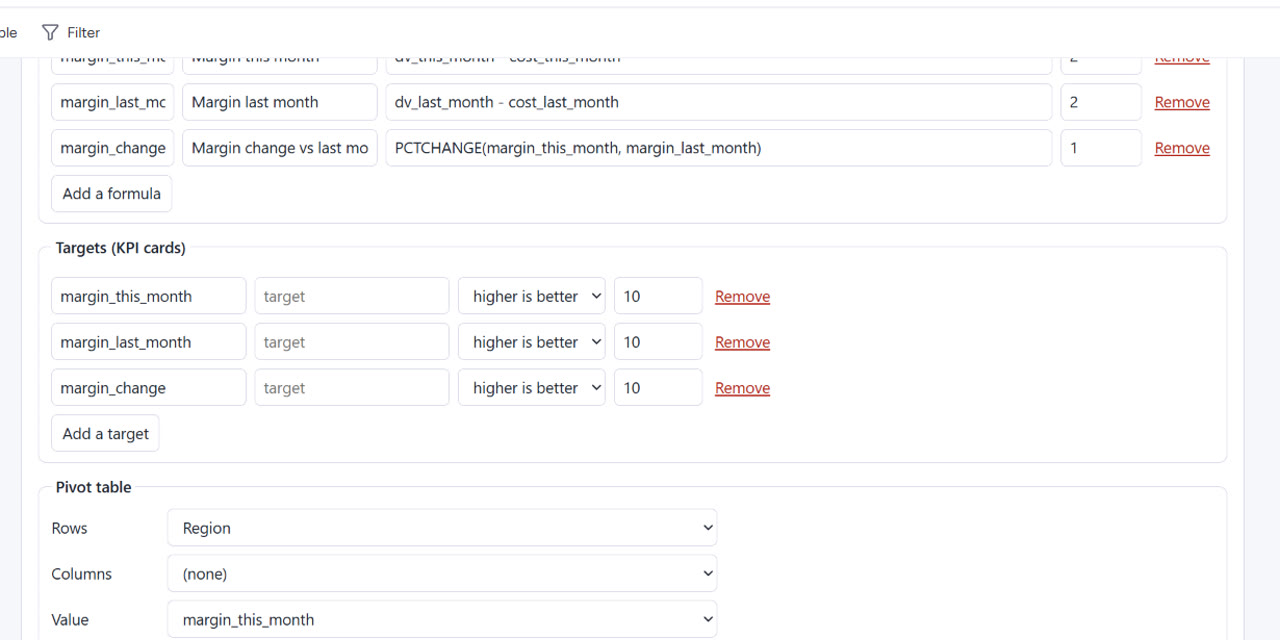
- Formulas over your metrics: + − × ÷, % (percent of), IF, ROUND, MIN, MAX, ABS, COALESCE, IFERROR and PCTCHANGE(new, old). Division by zero shows a blank, not an error; blank cells are not counted as zero.
- Calculations use exact decimals, so totals do not drift by rounding.
KPI cards and colour rules
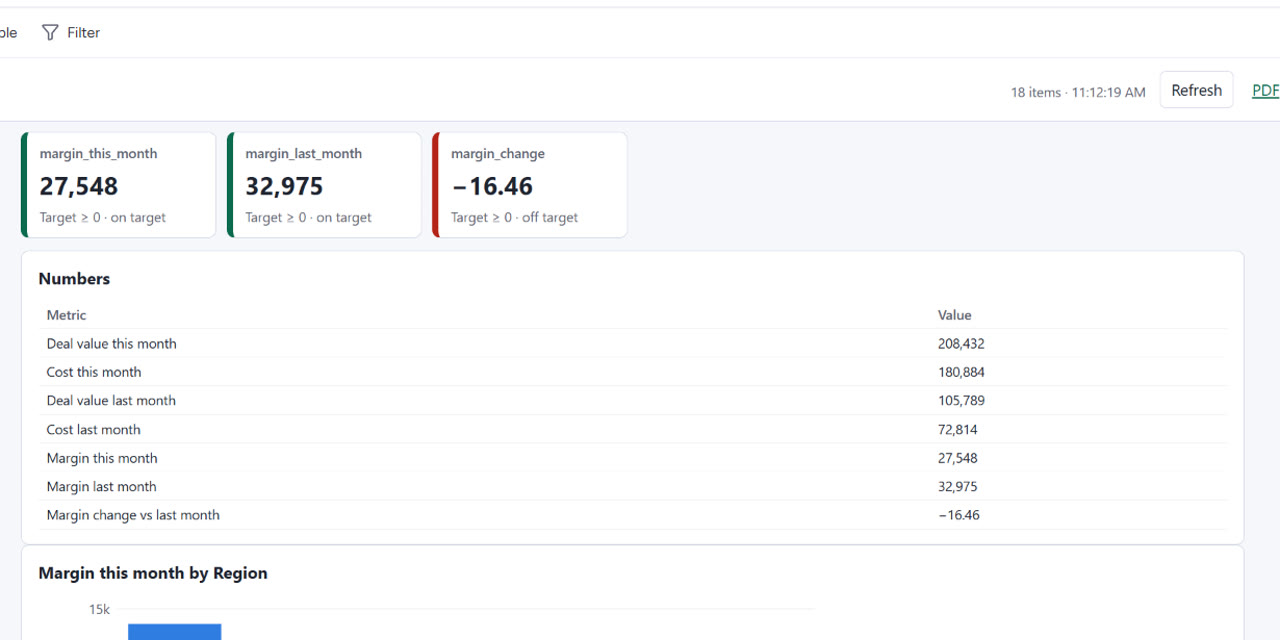
Give a metric or formula a target to show it as a KPI card. Colour rules colour a number or the pivot cells green, amber or red, for example red when a margin is negative; the first rule a value meets wins.
Pivot table and chart
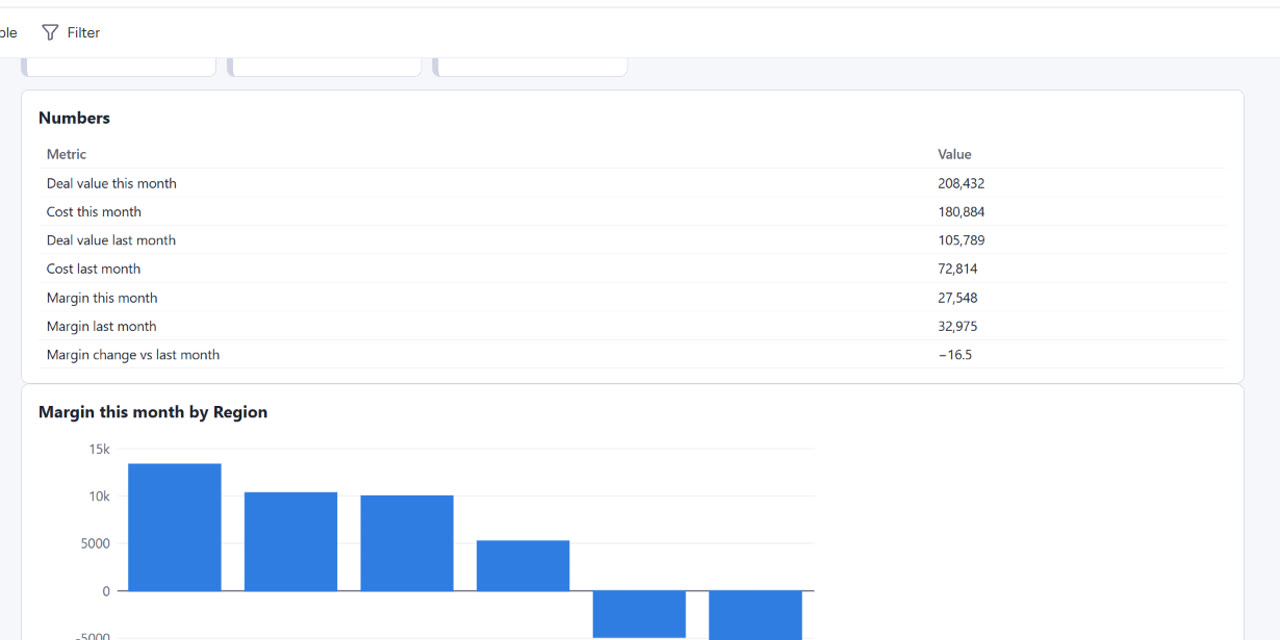
Rows × columns × a metric or formula, by any column or by day, week, month, quarter or year, with totals. Show values as values or as a % of the grand, row or column total, sort by row name or total, and click a header to re-sort. Add a bar or line chart of the pivot.
Export and snapshot links
- Export the widget as PDF, Excel or CSV.
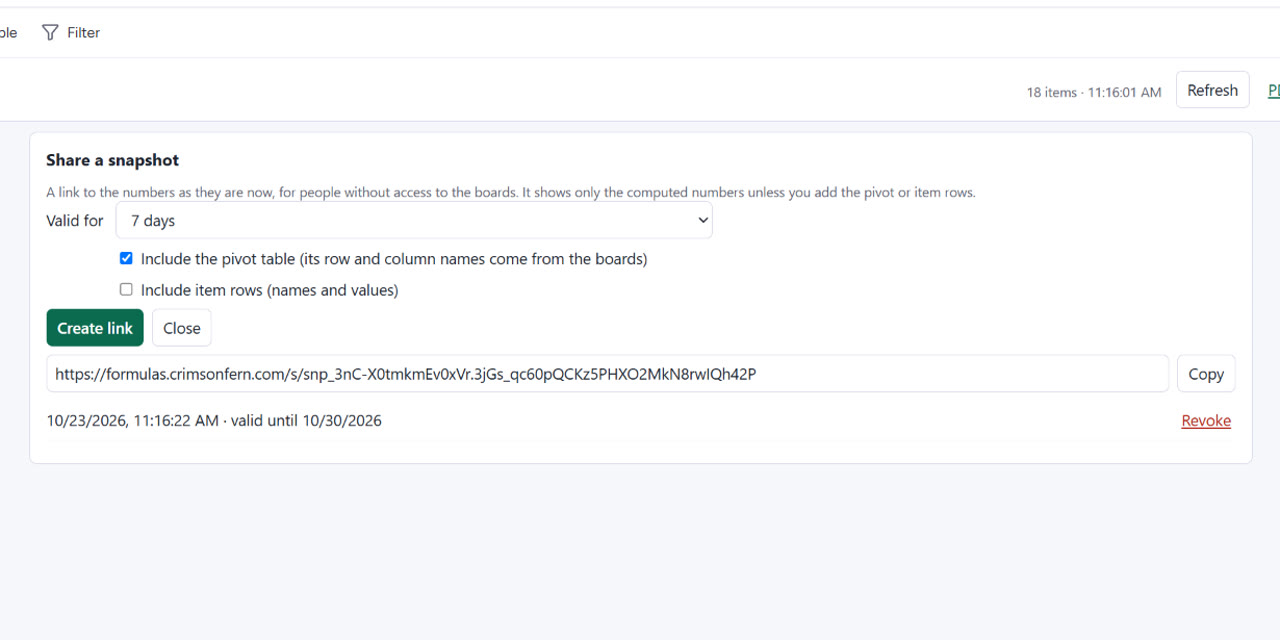
- Share creates a snapshot link with the numbers as they are now, for people who cannot open the boards. It is valid for 1, 7, 30 or 90 days and can be revoked at any time. The pivot table is included only if you tick it. A snapshot does not update; create a new one for newer numbers.
Refresh
Board reads are cached for 5 minutes; Refresh reads the boards again. Large widgets read many pages from monday and can take a while; the app waits for monday’s rate limits instead of failing.
Troubleshooting
- “Connect your monday account again”: the saved connection expired or misses a permission that a newer app version needs. Click Connect monday again.
- The widget is hidden for someone: a widget is shown only to people who can open every one of its boards, so numbers of a private board are not leaked.
- A column is missing: metrics use columns with the same title on every board; check the titles, or count one board only.
Free plan and limits
The app is free, no card needed: 10 widgets per account, up to 5 boards per widget, 25,000 items per refresh, snapshot links, and 10 AI setups a month. The monthly counter starts again on the 1st.
Privacy and data
- The app reads the items of the widget’s boards to compute the numbers and keeps them only in a 5-minute cache.
- We store the widget settings, cached computed numbers, the snapshot links you create (frozen numbers, and the pivot if you tick it), the encrypted OAuth token and monthly usage counters.
- Servers are in the EU (France) behind Cloudflare. When you uninstall the app, all data of the account is deleted, including snapshot links (technical error logs, which hold no board content, are rotated separately and may keep the account id until then). Details: privacy policy, security and terms.
Questions? contact@crimsonfern.com · we reply within 2 business days.